
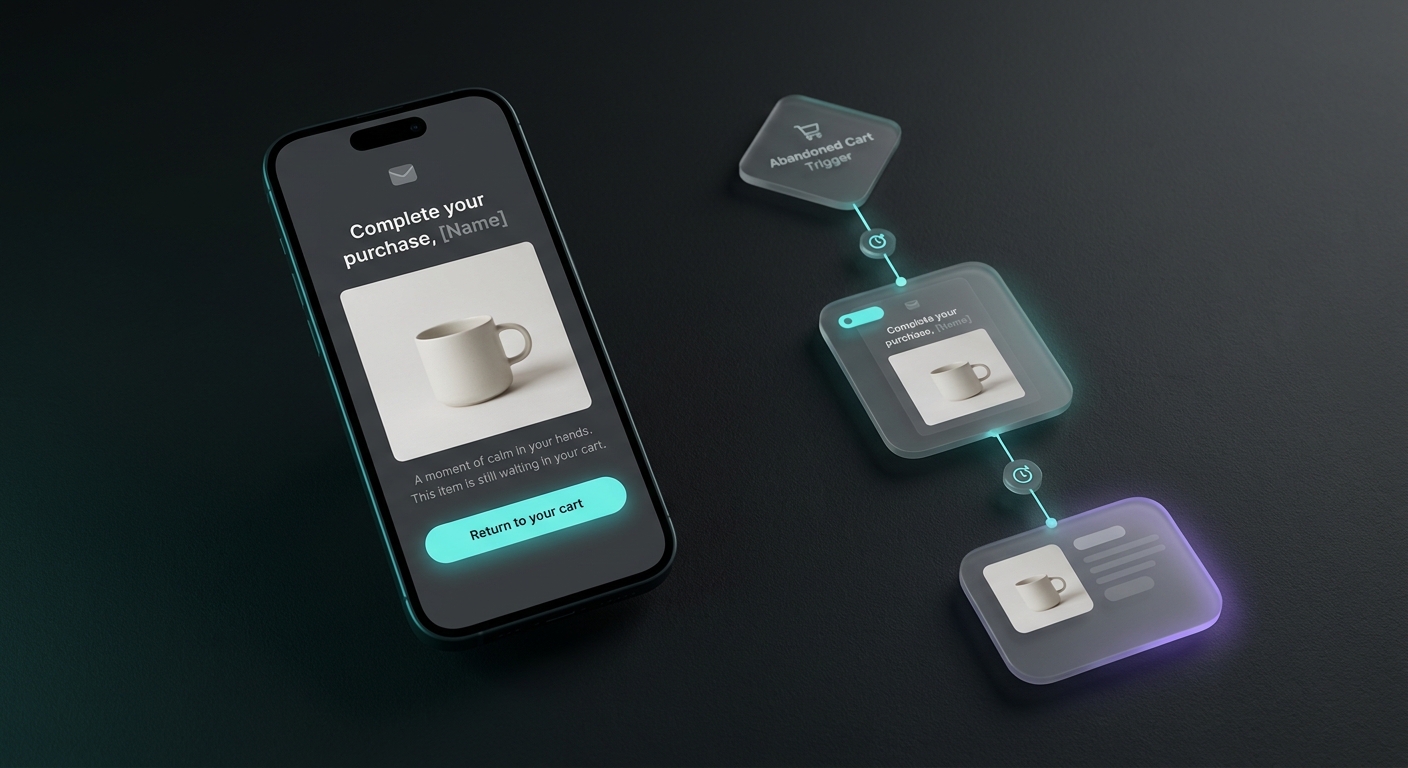
An abandoned cart flow is the single highest-return automation most Shopify stores will ever set up, and Klaviyo is where you build it. The idea is simple: someone adds a product, gets distracted or spooked by shipping, and leaves. Klaviyo watches for that, waits a bit, and emails them a reminder with the exact items they left behind. Done right, a chunk of those shoppers come back and check out. This guide walks through the whole thing for a Shopify store: which trigger to choose, the filters that keep you from spamming buyers, the timing, and word-for-word copy you can paste into all three emails.
The opportunity is real. The average documented online shopping cart abandonment rate is 70.22%, based on Baymard Institute's review of 50 separate studies. Seven out of ten carts walk. The flow is how you win some of them back on autopilot instead of manually chasing every lost sale.
Should you use the Checkout Started or Added to Cart trigger?
This is the first decision, and it trips up most people because Klaviyo gives you two abandoned cart triggers that fire at different moments.
Checkout Started fires when a shopper reaches the checkout page and enters their contact information. By that point they have committed enough to hand over an email, so two things are true: you always have an address to send to, and the shopper was close to buying. Higher intent, smaller pool.
Added to Cart fires the instant someone adds an item, well before checkout. It casts a wider net and catches casual browsers who never made it to the checkout page. The tradeoff is that you reach people who were only looking, and you only have an email address if Klaviyo already knows who they are (from a popup signup or a past purchase).
A simple rule for picking:
- Start with Checkout Started if you are setting up your first flow, sell higher-priced or considered products, or want the cleanest signal. It is the safer default.
- Use Added to Cart (or run both) once your list is larger and you have a strong popup capturing emails, so browsers are recognizable. It surfaces demand earlier.
You can run both flows at once, but if you do, add a filter to the Added to Cart flow that excludes anyone who then starts checkout, so the same person does not get pulled into two sequences. For most stores, one well-built Checkout Started flow beats two half-built ones.
How do you build the abandoned cart flow in Klaviyo?
Klaviyo ships a prebuilt version, so you are configuring, not building from scratch.
- Open the flow library. In Klaviyo, go to Flows, then Create Flow, and choose the "Prevent lost sales" or abandoned cart template. For the browser-level version pick the "Abandoned Cart Reminder, Shopify Added to Cart Trigger" template.
- Confirm the trigger. The template sets Checkout Started or Added to Cart for you. Make sure it matches the decision above.
- Turn on tracking for Added to Cart (only if you chose it). In the Klaviyo Shopify integration settings, enable "Track behavioral events," and make sure the Klaviyo app embed is active on your theme. Without both, the Added to Cart event never reaches Klaviyo and the flow stays silent. Checkout Started works out of the box once Shopify is connected.
- Add the buyer filter. This is the one filter you cannot skip: set a flow filter of "Placed Order zero times since starting this flow." It stops the sequence for anyone who completes checkout, so buyers never get a "you forgot something" email after they already paid.
- Add a repeat guard. A second filter like "Has not been in this flow in the last 7 days" prevents frequent shoppers from getting the full sequence every time they browse.
- Set your delays and emails (covered next), preview each email, send yourself a test, then switch the flow status from Draft to Live.
One timing note from Klaviyo's own guidance: build in at least a short first delay rather than sending instantly, because there is a little sync lag between Shopify and Klaviyo. Around an hour is both technically safe and better for conversions anyway.
How long should the flow be, and when should each email send?
Three emails is the standard for most Shopify stores. Two is fine for a simple, low-price product; more than three starts to annoy. Here is a timing structure that matches both Klaviyo's recommendations and what most stores actually run:
Trigger: Checkout Started (or Added to Cart)
Filter:  Placed Order zero times since starting this flow

Email 1  ~1 hour after abandonment   Plain reminder, no offer
   |
   +-- wait ~23 hours
   |
Email 2  ~24 hours after abandonment  Nudge + light urgency, show the product
   |
   +-- wait ~24-48 hours
   |
Email 3  ~48-72 hours after abandonment  Optional incentive / last call
Why this spacing works: the first email catches the honest "I got distracted" crowd while the intent is fresh. The second reaches people who need a small reason to act. The third is your last, best attempt, and the only place a discount belongs. If you never discount, make the third email a plain "last call before your cart clears" instead.
Every email in the sequence should include the dynamic product block so the shopper sees the exact items they left, a clear button back to their cart, and nothing that distracts from finishing that one purchase. Do not cross-sell other products here. The job is to close the cart that already exists.
What should each abandoned cart email actually say?
Most guides hand you the flow structure and leave the writing to you. Here is paste-ready copy for a three-email sequence. Swap the bracketed bits for your brand, and let the dynamic product block fill in the item.
Email 1, the reminder (about 1 hour in). Warm, zero pressure. Assume they got distracted.
- Subject:
You left something in your cart - Preview:
Your items are saved. Pick up where you left off. - Body:
Hi [First Name], looks like you left a few things behind. No rush, we saved your cart so you can finish whenever you are ready. Here is what is waiting for you:then the product block and aReturn to my cartbutton.
Email 2, the nudge (around 24 hours in). Add a gentle reason to act and light social proof.
- Subject:
Still thinking it over? - Preview:
Your [product name] is still saved, but not forever. - Body:
Hi [First Name], your cart is still here. These are some of our most-loved pieces and they do sell out, so we wanted to give you a heads up before yours clears. Everything you picked is one tap away:then the product block and the button.
Email 3, the last call (48 to 72 hours in). The only email with an offer. If you do not discount, drop the code and lean on scarcity.
- Subject:
Last chance for your cartorHere is 10% off to finish up - Preview:
Your cart is about to clear. Grab it before it does. - Body:
Hi [First Name], this is the last reminder about your cart. To help you decide, here is 10% off with code [CODE] at checkout, good for the next 24 hours. After that your cart clears and the code expires.then the product block and the button.
Read all three out loud in your brand voice before shipping. A luxury brand should cut the exclamation energy; a playful brand can loosen up. The structure holds either way: reminder, nudge, offer.
Should you put a discount in your abandoned cart flow?
Only in the last email, and ideally only for first-time buyers. The reason is behavioral: if shoppers learn that abandoning a cart reliably triggers a 10% code, your best customers will start abandoning on purpose. You will "recover" sales you would have made at full price and quietly train your list to wait for the discount.
Better approach:
- Email 1 and 2: no code, ever. Sell the reminder and the product, not the markup.
- Email 3: an optional code, capped. Limit it to first-time buyers where your platform allows, and give it a real expiry so it creates a reason to act now.
- Repeat customers: consider skipping the discount entirely and using scarcity or free shipping instead. They already trust you.
A margin-safe alternative to a percentage off is free shipping, which often converts nearly as well while costing you less and feeling less like a fire sale.
Why is my Klaviyo abandoned cart flow not recovering sales?
If the flow is live but quiet, the problem is almost always one of these, in rough order of how often it shows up:
- Missing events. For the Added to Cart trigger, "Track behavioral events" is off in the Klaviyo Shopify integration, or the Klaviyo app embed is not active on your theme. No event, no email. Check this first.
- The filter is too tight. A repeat-guard set to a long window, or an overly broad exclusion segment, can silently hold back most of your sends. Loosen it and watch the flow analytics.
- Flow status. The flow is still in Draft or set to Manual instead of Live. Klaviyo will not send until it is Live.
- Weak first email. The flow sends but nobody clicks. Usually the subject line is generic or the email buries the product and the return-to-cart button. Lead with the item and one clear button.
- Timing too aggressive or too slow. Sending instantly can beat the Shopify-to-Klaviyo sync and send a broken email; waiting three days sends after intent has evaporated. The one-hour, one-day, two-to-three-day rhythm is a safe starting point to test against.
Fix the plumbing first (events and status), then the filters, then the copy. Most "my flow is broken" cases are actually "my events never arrived."
Getting the flow live without staring at a blank editor
The setup in Klaviyo is mechanical once you know the trigger, the filter, and the timing. The slow part is the writing: three distinct, on-brand emails with subject lines and preview text that sound like your store and not a template. That is the piece most owners put off, which is why so many abandoned cart flows sit half-finished.
If that is where you are stuck, this is exactly what JetFlow is built for. It reads your Shopify store's real products and branding, drafts the full sequence in your voice, and pushes it straight into Klaviyo so you review and set it live instead of starting from an empty screen. However you write them, get all three emails in, add the "Placed Order zero times" filter, and turn the flow on. It is the closest thing to free revenue a Shopify store has, and it runs while you sleep.