A Klaviyo flow is an automated email sequence that fires when a shopper does something specific: joins your list, starts a checkout and leaves, views a product, or places an order. You build it once and it runs on its own, sending the right email at the right moment to the right person. The question is never really "what are Klaviyo flows." It is "which ones do I build first, and how do I set them up so they don't trip over each other." For a Shopify store the answer is four flows, in a set order, and this guide gives you the trigger, timing, and filter for each.
Most guides hand you a list of fifteen flows and wish you luck. That is how stores end up with fifteen half-built automations, three of which quietly email the same person twice in an hour. Build order matters more than flow count.
What is a Klaviyo flow, exactly?
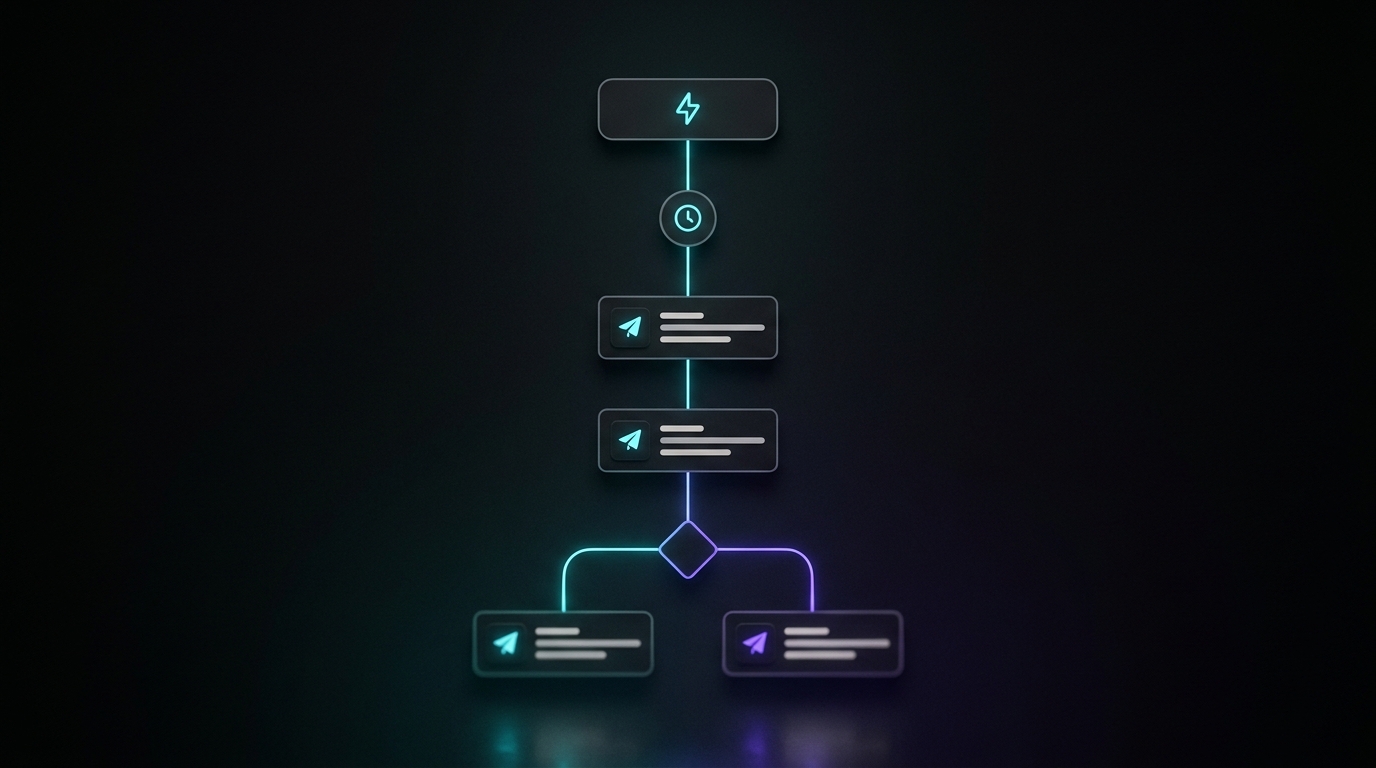
Klaviyo's own definition is "a sequence of automated actions that is triggered by certain behavior or event." In plain terms: a trigger starts it, time delays space out the emails, and filters decide who stays in and who gets skipped.
Every flow starts with one of five trigger types:
- List-triggered. Someone is added to a list, like your newsletter signup. This is what powers the welcome flow.
- Metric-triggered. Someone takes an action Klaviyo tracks, like Started Checkout or Placed Order. This powers cart, browse, and post-purchase flows.
- Segment-triggered. Someone enters a segment you defined, like "spent over $500 lifetime." This powers VIP flows.
- Date-triggered. A date on the profile comes up, like a birthday. This powers anniversary flows.
- Price-drop-triggered. An item a shopper viewed or added drops in price. This powers price-drop alerts.
Between the emails you place time delays, and Klaviyo re-checks the flow filters before each send to confirm the person still qualifies. That re-check is the whole game for a Shopify store, because it is what stops your flows from emailing someone about a cart they already bought.
Flows vs campaigns: why flows are worth building first
A campaign is a one-off email you schedule and blast to a segment. A flow runs forever on a trigger. Both matter, but flows do the heavy lifting per email sent. In Omnisend's 2025 benchmark study, across more than 27,000 brands, automated emails earned $3.41 per email sent, compared with $0.155 for one-off campaign emails. Same list, wildly different return, because a flow reaches a person at the exact moment they care.
That is why the build order below starts with flows, not with your weekly newsletter. Get the machine running, then feed it fresh campaigns on top.
Which Klaviyo flows should a Shopify store build first?
Build these four, in this order. Each one targets a moment where the shopper has already shown intent, which is why they out-earn everything else.
- Welcome flow. Someone just handed you their email. This is the warmest they will ever be. Klaviyo lists welcome as its top-priority flow for a reason.
- Abandoned cart flow. They got as far as checkout and stopped. The highest-intent recovery moment you have.
- Browse abandonment flow. They looked at a product but never added it. Lower intent than a cart, but a much larger audience.
- Post-purchase flow. They just bought. The cheapest repeat sale you will ever make starts here.
Everything else, and there is a lot of it, comes after these four are live and earning. The order is deliberate: welcome and cart are the two flows almost every store agrees are the biggest earners, so they go first.
How do you set up the welcome flow?
Trigger: list-triggered, off your main newsletter or signup list. If you run a signup popup on your Shopify store, this is the flow it should feed. (For the popup side of that, our other guides cover the capture form itself.)
A solid welcome series is three emails:
- Email 1, immediately. Deliver whatever you promised at signup (the discount code, the guide) and introduce the brand in two lines, not ten.
- Email 2, about two days later. Your best-sellers or the one product you would put in front of a first-timer. Show, do not tell.
- Email 3, about four days later. A soft reason to buy now: the code is expiring, or a light nudge toward the category they signed up from.
Welcome emails consistently post the strongest engagement of any flow. In the same Omnisend 2025 data, welcome automations earned about $6.16 per email, well above a normal campaign. If a shopper is going to open anything, it is the email that arrives seconds after they raise their hand.
How do you set up the abandoned cart flow?
Trigger: metric-triggered on Started Checkout. That is the event Klaviyo fires when a shopper reaches the checkout step, which is a stronger signal than merely adding to cart.
The one setting that matters most is the flow filter. Add Placed Order zero times since starting this flow. Klaviyo re-checks this before every send, so anyone who completes the purchase gets skipped automatically. You will see a large share of people marked as "failing profile filters" in the flow's stats. That is not a bug. It means the flow is correctly refusing to email people to recover a cart they already checked out.
Timing for a two to three email sequence:
- Email 1, about one hour after checkout is abandoned. A plain reminder. Show the cart, no discount.
- Email 2, around 24 hours. A little urgency. Stock does not last, the cart will clear soon.
- Email 3, optional, at 48 to 72 hours. The only place a discount belongs. Lead with an offer here and nowhere earlier, or you train people to abandon carts on purpose.
If you want the exact subject and preview lines for each of these emails, we mapped them out in abandoned cart email subject lines.
How do you set up the browse abandonment flow?
Trigger: metric-triggered on Viewed Product. On a Shopify store connected to Klaviyo, this event tracks automatically once the on-site tracking is active, so you rarely have to build it by hand.
Browse abandonment is where flows start fighting each other, so the filters carry the weight. Add two:
- Added to Cart zero times since starting this flow, so a browser who then adds to cart drops out and gets the cart flow instead.
- Started Checkout zero times since starting this flow, for the same reason one step further down.
Without those filters, one shopper who views a product, adds it, and starts checkout can land in three flows at once and get three emails in an afternoon. That is the fastest way to earn an unsubscribe.
Timing is lighter here because intent is lower. One email at two to four hours after the view, and an optional second the next day. No discount on the first email. They only looked.
How do you set up the post-purchase flow?
Trigger: metric-triggered on Placed Order. This flow does two jobs, and it helps to split it with a conditional based on whether it is the person's first order.
- Immediately: a genuine thank-you and what happens next (shipping, timing). This email posts very high open rates because people want order confirmation.
- Around five to ten days after delivery: a review request, or a how-to for the product they bought.
- Two to four weeks later: a cross-sell to the natural next product, only if it fits.
Post-purchase is retention disguised as a thank-you note. It costs nothing to run and it turns a one-time buyer into the repeat customer every other flow is trying to create.
How do you stop Klaviyo flows from overlapping and over-emailing?
This is the part that separates a store with four clean flows from a store whose customers are quietly muting them. Three controls do most of the work:
- Flow filters. The "zero times since starting this flow" filters above are your main defense. Use them on every abandonment flow so a shopper only ever sits in the deepest-intent flow they qualify for.
- Smart sending. Klaviyo's smart sending skips anyone who already received an email from you within a recent window. Leave it on for flows so a busy shopper does not get a cart email and a browse email back to back.
- Conditional splits. Inside a flow, split the path on things like new vs returning customer, or whether they used a discount, so the message actually fits. One flow, two audiences, two messages.
Set these once per flow and you never think about them again. Skip them and you will be answering "why did I get four emails" tickets instead.
What other Klaviyo flows are worth building later?
After the core four are live and earning, these are the next tier, roughly in order of payoff for a typical Shopify store:
- Back-in-stock. Triggered when a shopper opts in on a sold-out product and it restocks. It sends to people who already told you they want the item, which is why it posts the highest return per email of any common automation. In Omnisend's 2025 data, back-in-stock automations earned about $9.14 per email, the top of the list.
- Win-back. For customers who have not bought in 60 to 90 days. A reminder, then a stronger offer.
- Sunset. For subscribers who have ignored you for months. A last attempt, then you stop mailing them to protect your deliverability. Fewer, more engaged subscribers beat a big list that tanks your inbox placement.
- Cross-sell and replenishment. Recent buyers get a nudge toward the next logical product, or a reminder to reorder a consumable before it runs out.
- VIP and birthday. Small, warm, low-effort flows that reward your best customers.
- Price-drop. Alerts a shopper when an item they eyed gets cheaper.
None of these should come before the core four are working. They are the second sprint, not the first.
Where do campaigns fit alongside your Klaviyo flows?
Flows cover the automated moments. They do not cover the timely ones: the Friday sale, the new arrival, the seasonal push. Those are campaigns, and once your flows are running, campaigns are where the ongoing work lives, week after week.
That weekly campaign writing is the part most stores quietly fall behind on, because a blank email in Klaviyo is harder than it looks. This is where JetFlow fits: it reads your Shopify products, branding, and prices, generates on-brand campaign emails in minutes, and pushes them straight into Klaviyo, so the flows keep running in the background while your campaigns actually go out on schedule. Klaviyo builds the flow. The question is who writes the campaigns on top of it, and how fast.
Start with the four flows. Get them clean, filtered, and live. Then keep the campaigns flowing on top, and the two halves together are what a Shopify email program actually looks like.