A Shopify welcome email is the automatic message a new subscriber gets the moment they join your list, and for most stores it earns more per send than any other email they run. You can build it two ways: inside Shopify's own Marketing automations, which now ship with ready-made welcome-series templates and 10,000 free emails a month, or in Klaviyo if you want tighter segmentation. Whichever you pick, the winning shape is the same: a short series triggered on signup that delivers the offer right away, introduces your brand and bestsellers a few days later, and sends one last reminder before the code expires. This guide gives you the exact setup steps in both tools, a 3-email series you can paste and edit, subject lines, and how to wire your signup popup to the whole thing.
Most articles on this topic hand you screenshots of other brands' emails and a list of "best practices," then stop right where it gets useful: the actual setup, and the copy. This one does the opposite.
Why is the welcome email worth setting up first?
Because new subscribers are the warmest audience you will ever email. They just raised their hand, and they remember why. Omnisend's 2025 benchmark study, based on more than 20 billion emails from over 27,000 brands, puts the average welcome email open rate at 35.53% and revenue at $6.16 per email sent, which is well above a typical one-off campaign. That is real money sitting in an automation you build once and never touch again.
The catch is that the window closes fast. Wait a week and the person who was excited about your store has forgotten they signed up. So the welcome email is not a nice-to-have you get to eventually. It is the first automation to turn on, before abandoned cart, before anything else.
Should I build my welcome email in Shopify or Klaviyo?
Both work. The right answer depends on where your store is, not on which tool is "better."
Use Shopify's native Marketing automations if:
- You send under roughly 10,000 emails a month, where Shopify Email is free.
- You want a welcome series live today without learning a new platform.
- Your segmentation needs are simple: everyone who signs up gets the same warm intro.
Move to Klaviyo if:
- You want to branch the series by what someone bought, browsed, or where they signed up.
- You are already running abandoned cart, browse abandonment, or back-in-stock flows in Klaviyo and want your welcome living next to them.
- You need deeper reporting and A/B testing than the native tools give you.
A practical path for a lot of stores: start native to get a working welcome series earning immediately, then port it into Klaviyo once you outgrow the simple version. You lose nothing by starting free.
How do I set up a welcome email in Shopify's native automations?
Shopify added welcome-series templates directly into Marketing automations, so you are not building from a blank canvas. Here is the path.
- In your Shopify admin, go to Marketing, then open the Automations tab.
- Click Create automation. You will see a template library.
- Pick one of the two welcome-series templates: Welcome email series (discount with reminder), which opens with a discount email, follows with two relationship-building emails, and sends a reminder if there is no purchase, or Welcome email series (brand story with discount), which leads with three brand-story emails and holds the discount for last.
- The trigger is already set: the series fires when a new subscriber joins your marketing list. You do not configure it.
- Edit each email's copy and images to match your brand. Swap the placeholder discount for your real code, or change the incentive to free shipping if a percentage off hurts your margins.
- Adjust the wait steps between emails so the timing fits your store, then turn the automation on.
That is the whole job. Shopify Email includes 10,000 free emails a month, which covers the welcome series for most stores well before they need to pay for anything.
How do I build a welcome series in Klaviyo?
If you have outgrown the native version, Klaviyo gives you a list-triggered flow.
- In Klaviyo, go to Flows, then Create flow, and either start from the welcome-series template or build from scratch.
- Set the trigger to Added to list and point it at your newsletter or signup list. Anyone added to that list now enters the flow.
- Build three emails with delays between them. Klaviyo's own recommendation is a 3-email series over about a week: email one sends immediately, email two after 3 days, email three after 4 more days.
- Add a conditional split if you want the series to skip the reminder for people who already bought, or branch by signup source.
- Write and design each email, set the flow live, and send yourself a test through the preview.
The trigger is the part people get wrong. A welcome flow keys off list subscription, not off a purchase or a page view, which is what keeps it separate from your cart and browse flows.
What should each email in the welcome series say?
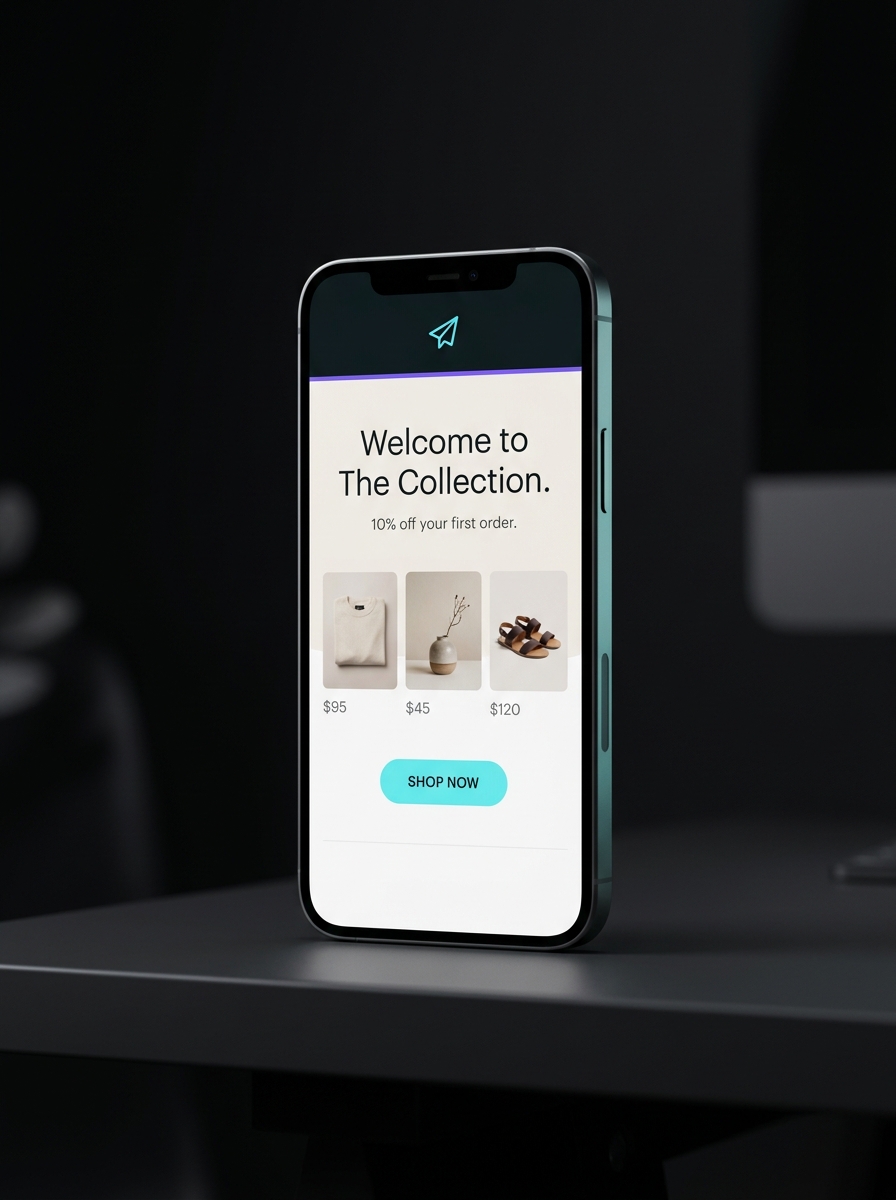
Here is a 3-email series you can paste in and edit. It matches the immediate / +3 days / +4 days cadence and works in either Shopify or Klaviyo. Replace the bracketed parts.
EMAIL 1  (sends immediately)
Subject: Welcome. Here's your 10% off.
Preview: Your code is inside, and it is good for 7 days.

Hi [first name],

Thanks for joining [store name]. As promised, here's 10% off your
first order: WELCOME10 at checkout. It's good for the next 7 days.

We started [store name] because [one honest sentence on why you exist].
If you have a question before you buy, just reply to this email. A
real person reads it.

[Shop the bestsellers button]

Thanks, [Your name], [store name]
EMAIL 2  (sends 3 days later)
Subject: The [product category] people keep coming back for
Preview: A quick look at what our customers reorder most.

Hi [first name],

Still deciding? Here are the three things new customers order first,
and why they stick around.

- [Product 1]: [one line on who it's for]
- [Product 2]: [one line on who it's for]
- [Product 3]: [one line on who it's for]

Your WELCOME10 code still works for a few more days.

[Shop these button]
EMAIL 3  (sends 4 days after email 2)
Subject: Your 10% off ends tomorrow
Preview: Last call on your welcome discount.

Hi [first name],

Quick heads up: your welcome code WELCOME10 expires tomorrow. If
you've had your eye on something, now's the moment.

[Shop now button]

No pressure if the timing's not right. We'll be here.
Notice email one delivers the offer instantly, email two earns the sale with proof instead of a bigger discount, and email three is a single honest reminder, not a louder pitch. That is the whole trick to a welcome series that converts without burning out your list.
What subject lines work for a Shopify welcome email?
Keep them short, say what is inside, and never overpromise. A few that hold up:
Welcome. Here's your 10% off.You're in. Your code is inside.Thanks for joining [store name]Your first-order discount, as promisedA little something to start you offThe [category] our customers love most(for email two)Your 10% off ends tomorrow(for the reminder)
Pair each with preview text that adds information rather than repeating the subject. "Your code is inside, good for 7 days" earns the open. "Open to learn more" wastes it.
How do I connect my signup popup to the welcome email?
This is the handoff every generic guide skips, and it is where welcome series quietly break.
Your popup collects the email and adds that person to a list. Your welcome series is triggered by someone joining that list. So the two only work if they point at the same list.
- In Shopify native, the popup or newsletter form adds subscribers to your marketing list, and the welcome automation already listens to that list. As long as the form is a Shopify form, they connect automatically.
- In Klaviyo, make sure your popup form's target list is the exact same list your welcome flow uses as its "Added to list" trigger. If the popup adds people to List A and your flow triggers on List B, nobody gets the welcome and you will not see an error.
One more rule: whatever the popup promises has to show up in email one. If the popup says "10% off," the code belongs in the first email, with the same number. Breaking that promise is the fastest way to get an instant unsubscribe from someone who was ready to buy.
Should the welcome email include a discount?
Usually yes, with two guardrails. Give the code a real expiry, because "10% off, someday" creates no reason to act, while "ends in 7 days" does. And if a percentage off eats too much margin, trade it for free shipping, a free sample, or early access to a launch. The incentive matters less than keeping the promise you made at signup.
If you would rather not discount at all, a brand-story-first welcome still works. Shopify's second template is built exactly for that: three emails that introduce who you are, with the offer held back or dropped entirely. Stores with a strong story and higher price points often do better this way than by leading with a coupon.
How do I keep the welcome email out of spam?
The single biggest factor is domain authentication. Before you send anything, set up SPF, DKIM, and DMARC records for your sending domain, and send from an address at your own domain instead of a free Gmail or Yahoo address. Inbox providers now treat unauthenticated senders harshly, and a welcome email that lands in spam earns nothing no matter how good the copy is.
Turning on double opt-in helps too. It confirms the address is real and the person actually wants your email, which protects the sender reputation that keeps your future campaigns in the inbox. A slightly smaller list of confirmed subscribers beats a big list that trains filters to distrust you.
Where JetFlow fits
The setup above is the easy part. The slow part is writing and designing all three emails so they sound like your store and show your actual products, then keeping them fresh. JetFlow reads your Shopify catalog, prices, and branding and generates an on-brand welcome series, copy and design, in minutes, then pushes it straight into Klaviyo where your other flows live. You review and edit before anything sends. It does not replace Klaviyo or Shopify's automations. It removes the blank page in front of them.
If you are still deciding which tool to build in, the honest answer is to start with whichever you already have open and get a welcome series live this week. A working series earning $6 an email beats a perfect one you never turn on. Once it is running, the natural next automation to build is your abandoned cart sequence, which catches the shoppers your welcome email brought back but who did not check out. If you get there, these abandoned cart subject lines will save you the blank-page problem twice.